
A pattern is becoming increasingly familiar. A founder, department leader, or operations team has a useful idea. They open Claude, Codex, or another AI coding tool and begin describing the workflow. Within days or weeks, they have something tangible: screens, forms, calculations, reports, and a process that appears to work.
If you are trying to turn an AI prototype into a production application, the challenge is no longer generating another screen. The work is deciding how to deploy an AI-built application so that shared data, security, integrations, releases, and support remain dependable. This is also the point at which many teams need help moving a Claude or Codex app from local development to production.
The application runs on one computer. The data may sit in a JSON or CSV file, a local SQLite database, or another file stored beside the code. For a demonstration, this can be exactly what the team needs. It makes the idea visible, exposes missing requirements, and helps people decide whether the workflow is worth pursuing.
Then the questions change.
How will colleagues access it? What happens when several people update records at once? Where will customer or employee data live? Who can see which information? How will it connect to the CRM, ERP, identity provider, email service, or reporting platform? What happens if a deployment fails, a record is deleted, or the application becomes unavailable?
This is the point where a successful prototype needs to become a properly engineered business application.
The prototype has already created real value
A local AI-built application should not be dismissed simply because it is not ready for production. It may already contain valuable work:
- A clearer definition of the business problem
- Early user journeys and screen ideas
- Working examples of calculations or decision rules
- Feedback from the people who understand the process
- Evidence that the idea is useful enough to develop further
The right first step is not automatically to rebuild everything. It is to assess what the prototype has proved, which parts can be retained, and which parts need to be redesigned for security, scale, maintainability, and operational use.
Anthropic makes a similar distinction in its guidance for Claude Artifacts: prototypes are useful for testing and demonstration, while production use requires stronger infrastructure and proper API key management. The same principle applies when a local application has been created with any AI coding assistant.
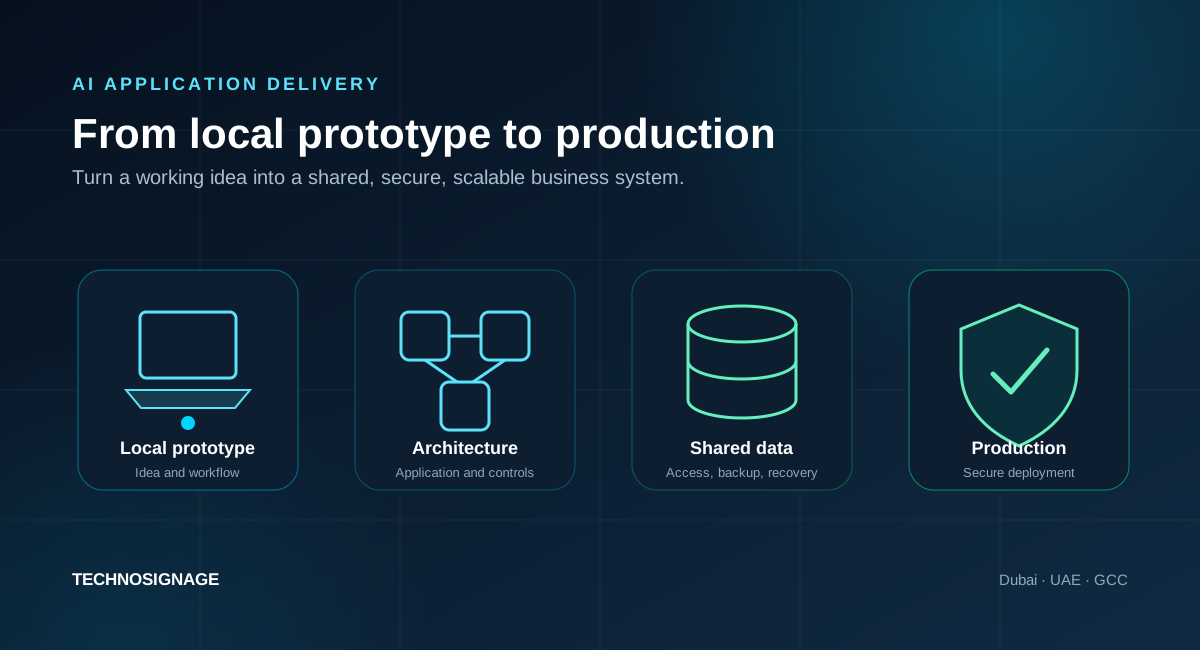
Why an application that works locally may not scale
The visible interface is only one part of a production system. A local prototype often assumes one machine, one user, one trusted environment, and a limited amount of data. A live application has to operate under very different conditions.
1. The data needs a shared and governed home
A text file or local database can be practical during prototyping. The problem begins when several users need to read and update the same records, the application must run on more than one server, or the business needs controlled access, backups, recovery, and an audit trail.
SQLite itself is not an inferior technology. Its official guidance describes it as fast and reliable for device-local storage and many low-concurrency applications. The same guidance recommends considering a client-server database when many computers access the same data directly, when there are many concurrent writers, or when a busy application must run across multiple servers.
The production decision should therefore be based on the workload, not fashion. The right answer might be PostgreSQL, SQL Server, MySQL, a managed cloud database, or a carefully designed local-first architecture. The team must understand the users, write patterns, data sensitivity, integrations, reporting needs, and expected growth before choosing.
2. Authentication is not the same as authorisation
A login page proves that a user can enter credentials. It does not prove that the application enforces the right permissions.
A production system may need roles, departments, countries, approval levels, record ownership, delegated access, administrator controls, session security, password recovery, single sign-on, and a reliable way to remove access when someone leaves the organisation.
These rules must be enforced by the server and data layer, not only hidden in the interface.
3. Secrets and configuration must leave the source code
Prototypes often contain API keys, database credentials, test passwords, callback URLs, or environment settings directly in the project. That may be convenient on one machine, but it creates serious risk when the code is shared or deployed.
Production delivery requires separate configuration for development, testing, and live environments. Secrets should be stored and supplied through an appropriate deployment or secrets-management process. OWASP guidance recommends treating CI/CD tooling as production infrastructure, applying least privilege, preventing pipeline output from leaking secrets, and separating development and production credentials.
4. Real users will find paths the demo never tested
A demonstration normally follows the intended journey. Real usage introduces duplicate submissions, invalid files, interrupted connections, expired sessions, simultaneous edits, partial integrations, unusual data, browser differences, and users who take actions in an unexpected order.
Production testing must cover the happy path and the failure paths. The application also needs validation, useful error messages, logging, monitoring, and a support process so issues can be detected and resolved.
5. Deployment becomes an operating capability
Copying a project to a server is not a complete deployment strategy. A dependable release process should answer:
- Where are development, test, staging, and production environments hosted?
- Which branch or approved release can reach production?
- How are database changes applied safely?
- What checks run before release?
- How is application health checked after release?
- How are backups created and tested?
- How can the team roll back if a release fails?
- Who receives alerts and owns support after go-live?
Deployment environments and protection rules can also prevent unreviewed branches from reaching production and limit when production secrets become available to a release workflow.

Does the prototype need to be rebuilt?
Not always. A production-readiness assessment normally separates the application into three groups.
Keep
These are parts that already express the idea well and can continue with limited change. They may include the visual direction, user journey, terminology, business rules, or selected components with acceptable code quality.
Refactor
These parts work, but need a stronger structure. Common examples include duplicated logic, tightly coupled screens and data access, missing validation, weak error handling, or code that becomes difficult to change safely.
Replace
These parts cannot support the intended production use. A local data file may need to become a managed database. Browser-only access rules may need to move into a secure backend. A hard-coded integration may need a supported API, retry handling, logging, and reconciliation.
The aim is to preserve useful learning while removing hidden operational risk. Rebuilding everything can waste valuable work, but preserving every generated line can be equally expensive.
What should a production-readiness assessment cover?
Before recommending a technology or hosting platform, we examine the complete business and technical context.
Business and workflow
- Who will use the application, and what are they trying to complete?
- Which steps require review, approval, escalation, or exception handling?
- Which outcome will show that the application is creating value?
- Which functions are essential for the first release, and which can wait?
Application and code
- Which frameworks, packages, and external services are being used?
- Is the structure maintainable and testable?
- Are validation, error handling, permissions, and logging implemented consistently?
- Are there abandoned experiments, exposed credentials, or unsupported dependencies?
Data and integrations
- What data exists today, and how should it be migrated?
- Who owns each dataset and who is permitted to access it?
- How many users and simultaneous updates should the design support?
- Which systems must exchange data with the application?
- What backup, retention, recovery, and audit requirements apply?
Hosting and operations
- Does the organisation prefer cloud, on-premises, or a hybrid deployment?
- Are there contractual, sector, or client requirements affecting data location?
- What availability, monitoring, support, and recovery expectations are realistic?
- Who will own the product and technical operation after launch?
The output should be a decision, not a generic technical report. It should identify what can be retained, the priority risks, the target architecture, the delivery phases, the deployment approach, and the work required for go-live.
How TechnoSignage takes a local prototype to production
Our role starts with the working idea, not with a predetermined technology stack.
1. Understand the application and the business need
We review the current prototype with the people who created and use it. We map the workflow, users, decisions, data, integrations, constraints, and expected outcomes.
2. Audit production readiness
We assess the codebase, architecture, data storage, security, access model, dependencies, testing, and deployment assumptions. We identify what can be retained and what needs to change before real users and business data are introduced.
3. Define the target solution
We recommend an application architecture, database, integration model, hosting approach, security controls, and delivery plan suited to the actual requirements. The recommendation may use cloud services, existing company infrastructure, or a hybrid design.
4. Engineer the production application
We develop or refactor the frontend, backend, database, workflows, permissions, integrations, reporting, and operational controls. Where AI remains part of the product, we add the evaluation, human review, usage visibility, and fallback behaviour appropriate to the use case.
5. Migrate and validate the data
We map the local data into the production model, clean and validate it, rehearse the migration, and confirm that critical records and relationships remain correct. The migration plan also covers backup and rollback.
6. Deploy, launch, and support
We configure the environments, automate repeatable releases where appropriate, test the complete user journeys, prepare the go-live plan, and monitor the launch. Documentation, ownership, support, and future improvement are treated as part of delivery.
When should you bring in a professional team?
It is time to seek production support when one or more of these statements is true:
- The application contains information that should not remain on one person's computer.
- Several employees, customers, suppliers, or partners need access.
- The business needs roles, approvals, audit history, or single sign-on.
- The application must connect to a CRM, ERP, payment service, document store, email platform, or reporting environment.
- Losing data or releasing a faulty update would interrupt operations.
- The current creator cannot confidently explain the security, database, deployment, backup, or recovery design.
- The prototype is valuable enough that the organisation now needs clear ownership and a credible go-live date.
Reaching this point is not evidence that the prototype failed. It usually means the prototype succeeded in proving that the idea deserves a stronger foundation.
Frequently asked questions
Can an application built with Claude or Codex become a production system?
Yes, but the origin of the code does not determine production readiness. The application still needs professional review, appropriate architecture, secure data handling, permissions, testing, deployment controls, monitoring, and operational ownership.
Can we share the local database with several users?
That depends on the database and access pattern. A local file should not simply be placed on a shared drive and treated as a multi-user production service. The assessment may recommend placing an application server in front of it or migrating the data to a client-server or managed cloud database.
Will the whole application need to be rewritten?
Not necessarily. The interface, workflows, terminology, business rules, and parts of the code may be reusable. The assessment determines what to keep, refactor, or replace.
Can our team continue using AI coding tools after launch?
Yes. AI-assisted development can remain part of the workflow when changes are managed through version control, review, testing, protected deployment paths, and clear production access rules.
How do we choose between cloud and on-premises deployment?
The decision depends on system integrations, data requirements, company standards, support capacity, scalability, security controls, and commercial constraints. We recommend the deployment model after reviewing those factors instead of choosing a platform before understanding the application.
Your local prototype can become a dependable business application
If your application already works on one machine, you have something valuable: a visible idea that people can test and discuss. The next step is to turn that learning into a system that can be shared, secured, operated, and improved.
TechnoSignage helps UAE and GCC organisations assess AI-built prototypes, define the right architecture, engineer the complete application, migrate the data, recommend a deployment strategy, and carry the solution through go-live.
Discuss your AI-built application with our team, or learn more about our custom AI software development services and AI consulting approach.