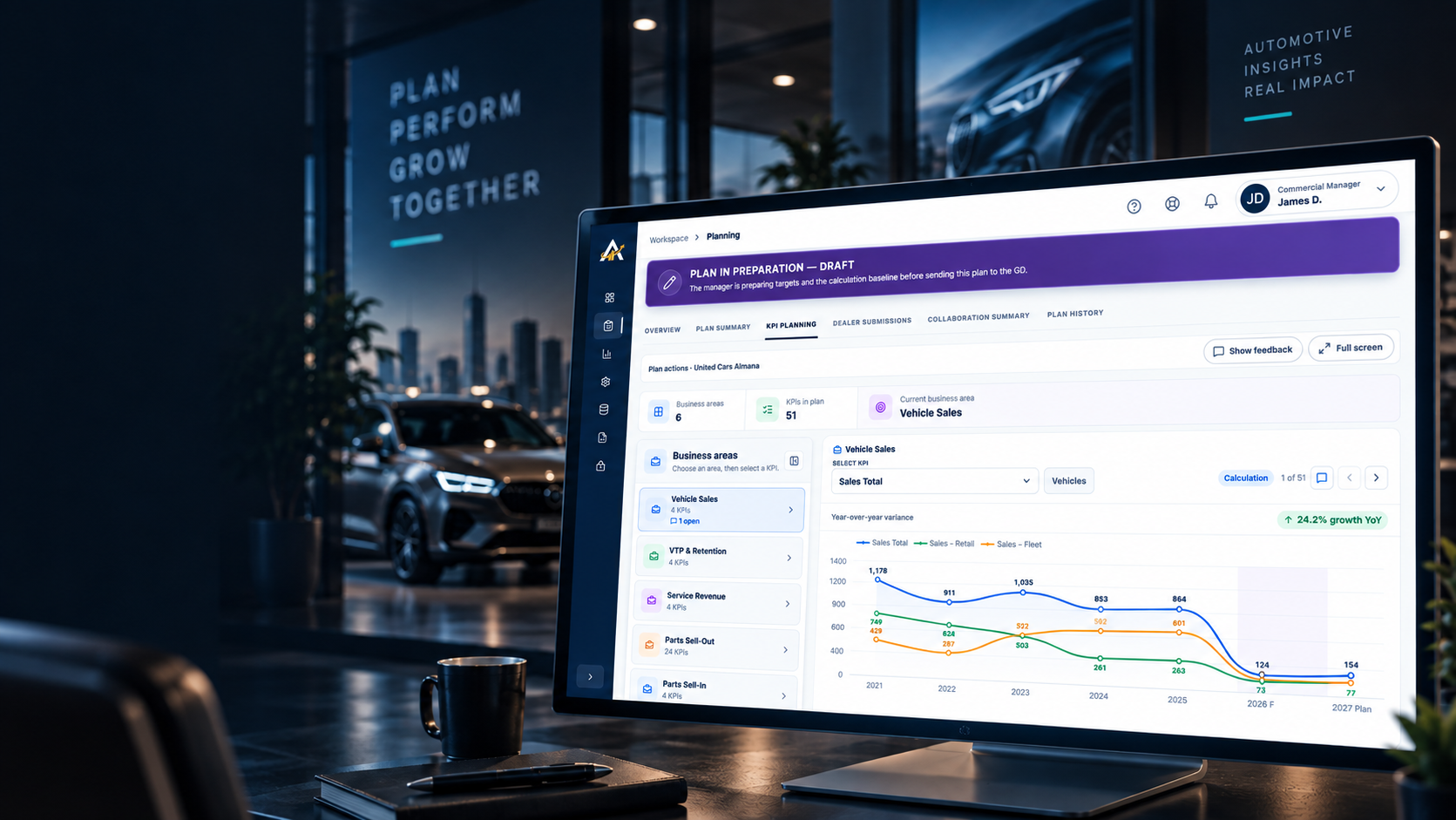
What is automotive commercial planning software?
It helps OEM and dealer teams turn historical results, forecasts, and business KPIs into agreed annual targets, then follow performance against the plan.
Commercial Planner brings commercial teams and dealerships into one governed workspace to build, review, approve, and track data-driven business plans across the GCC.
Regional commercial planning often moves between spreadsheets, historical reports, dealer submissions, and email approvals. The result is a difficult path from last year's performance to a target everyone can explain.
Teams need to see which period the figures cover and how the current-year forecast informs next year's plan.
A proposed target needs its owner, discussion, and rationale alongside the number itself.
Multiple versions make it difficult to identify the agreed target and how the decision changed over time.
Work from a consistent historical baseline, guide every dealership through the same planning cycle, and keep progress, decisions, approvals, and results visible in one place.
Set the planning year, actuals cutoff, deadlines, and a guided plan workflow for every participating dealership.
Organise KPIs by business area, review annual or monthly actuals, compare forecasts, and establish targets using a consistent baseline.
Commercial Managers, Market Managers, and dealerships propose targets, discuss changes, record the rationale, and work toward an agreed plan.
Move each plan through preparation, dealership input, management review, approval, and closure with status and decision history retained.
Monitor plan status, outstanding actions, completion progress, KPI movements, and performance trends across the network.
Review dealership performance across planning cycles, generate the agreed plan PDF, and export structured reports for further analysis.
Give each user the information, dealerships, plan stages, and actions relevant to their assigned responsibilities.
Manage users, roles, dealerships, business areas, KPIs, data sources, and supporting planning options from one controlled workspace.
Choose the right source for each historical KPI while keeping the planning cycle and dealer scope clear.
Map KPI values from Tableau worksheets and bring them into dealer-level historical reporting.
Upload annual or monthly historical figures using dealer-scoped templates, with a preview before import.
Derive measures from other KPI values using configurable formulas instead of maintaining another source file.
Commercial Planner connects historical data, commercial preparation, dealership input, management approval, and retained plan history in one governed process.
Bring relevant historical actuals and the current-year cutoff into the planning cycle.
Commercial teams use the baseline and forecast to prepare business-area KPIs and proposed targets for each dealership.
Dealerships provide input while managers discuss changes, revise targets, and retain a clear history of decisions and handoffs.
Management approves and closes the plan, retains the agreed direction, exports the record, and follows results as KPI data refreshes.
Tell us how many markets and dealerships you plan for, which roles participate, which KPIs matter, and where review or approval slows down. We can walk you through Commercial Planner around your planning cycle.
It helps OEM and dealer teams turn historical results, forecasts, and business KPIs into agreed annual targets, then follow performance against the plan.
It is for OEM commercial leaders, regional or market managers, and dealer groups coordinating targets across multiple locations.
Yes. Each participating dealer has a separate plan within an annual cycle, with its own proposals, review status, and target history.
Use Tableau worksheet imports, upload annual or monthly Excel and CSV files, or calculate KPIs from other measures. The right mix depends on how your network manages each source.
Dealer and manager discussions sit alongside the plan. Proposed values, revision reasons, actors, and handoffs remain in the plan history, and the final agreed targets can be generated as a PDF.
As configured KPI sources synchronize new results, teams can compare actual performance with the agreed annual targets and review progress by dealer.
Role-based workspaces limit information and actions to the user's responsibilities and assigned dealerships. Dashboards surface plan status, outstanding actions, completion progress, and performance trends.
Administrators can manage users, roles, dealerships, business areas, KPIs, data sources, and the supporting options used across planning cycles.