One guide in a six-part series for business teams.
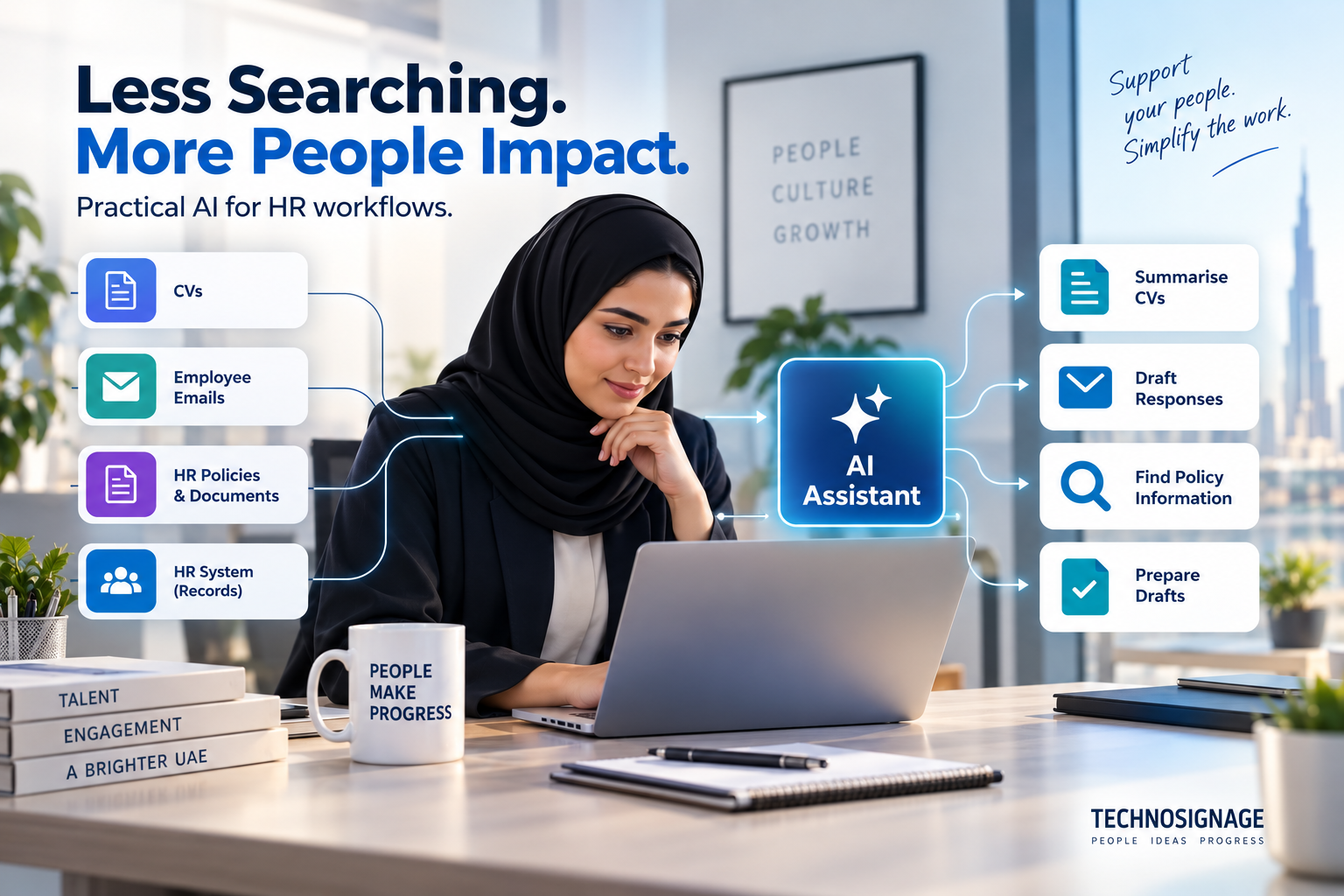
HR teams often move between CVs, employee emails, policy documents, and an HR system that already holds the official records. Useful AI assistance reduces the reading and preparation around these systems while keeping employment decisions with accountable people. Begin with the workflow that creates repeated administrative work, rather than trying to automate every employee interaction.
The following scenarios illustrate workflows you could scope and test. They are not claims of completed TechnoSignage client projects or guaranteed improvements.
Where AI can help HR
- CV screening support: organise evidence for a recruiter
- Leave requests: turn a message into a complete application
- Onboarding: coordinate a role-specific checklist
- Policy questions: answer from the current approved documents
- Training support: suggest learning from role requirements
Each scenario shows the work today, the proposed workflow, a sample result, the systems needed, and the review point. Use the examples to discuss a specific operating problem with the people who perform it.
CV screening support: organise evidence for a recruiter
A recruiter receives applications for a service coordinator role. CVs use different layouts, and some describe relevant experience without repeating the exact words in the job description. Manually creating a consistent review sheet takes time.
- How the workflow improves
- AI extracts stated experience, qualifications, and skills into a structured summary, with references to the original CV. It maps evidence to published job requirements and marks missing information as unknown. The output is a review aid, not an automatic suitability score.
- A realistic example
- A candidate describes coordinating workshop bookings rather than using the phrase service scheduling. The summary points the recruiter to that passage and leaves an unmentioned software certification as unknown.
- Data and systems needed
- Use approved CV files, the role description, a recruiter-defined review template, and controlled access to the applicant tracking system. Store only the fields needed for the recruitment task.
- Who reviews and approves
- The recruiter checks the evidence and decides who progresses. Do not automatically reject, shortlist, or infer suitability from sensitive personal attributes. Test for omissions and inconsistent treatment across representative applications before relying on the summaries.
Leave requests: turn a message into a complete application
An employee emails, "I would like Monday through Thursday off next week." HR needs the exact dates, leave type, employee identity, balance, and appropriate approver before processing the request.
- How the workflow improves
- AI identifies the requested period and asks the employee to confirm dates and leave type. An authenticated integration retrieves the current balance, and existing HR rules determine eligibility and routing. The assistant prepares a draft request and explains the next step.
- A realistic example
- The draft shows the dates, how working days were counted by the HR system, and the manager who will receive the request. It asks for confirmation before submission rather than silently interpreting next week.
- Data and systems needed
- Connect the HR system, employee identity, work calendar, applicable policy, and approval workflow. Balance calculation and policy rules remain deterministic system functions.
- Who reviews and approves
- The employee confirms the request, and the authorised manager or HR team approves exceptions. Restrict supporting documents and personal details to the people who need them. AI must not invent a balance or approve leave on its own.
Onboarding: coordinate a role-specific checklist
A new branch employee needs documents, a welcome session, equipment, and access to several systems. Tasks are split between HR, IT, and the line manager, with updates scattered across email.
- How the workflow improves
- AI drafts an onboarding checklist from approved templates, the role, location, and start date. Workflow automation assigns tasks and sends reminders. The assistant summarises outstanding items for the onboarding owner.
- A realistic example
- The summary highlights an unconfirmed laptop handover and a pending induction session. It identifies the responsible team and links to each task, rather than declaring the employee fully onboarded.
- Data and systems needed
- Use the HR system, task tracker, approved role templates, and IT service desk. Separate general onboarding instructions from identity documents and other restricted files.
- Who reviews and approves
- HR confirms the checklist, IT approves access, and the manager confirms completion. AI does not grant accounts or privileges. A failed integration must appear as an unresolved task, not a completed action.
Policy questions: answer from the current approved documents
Employees repeatedly ask which approvals they need for travel, how to request an employment letter, or where to find the onboarding guide. HR answers the same questions in several channels.
- How the workflow improves
- A permission-aware assistant searches the current policy set and drafts a short answer with source links. It distinguishes general guidance from an individual entitlement that requires an HR-system lookup.
- A realistic example
- For a travel approval question, the assistant links to the relevant policy section and the request form. If two versions conflict, it flags the conflict for the policy owner instead of choosing one silently.
- Data and systems needed
- Connect an approved document repository and employee authentication. Give each document an owner, effective date, and retirement process so replaced policies stop appearing in answers.
- Who reviews and approves
- HR owns the answers and handles exceptions. The assistant should decline to disclose another employee's records and escalate missing or contradictory policy information. Test access boundaries as well as answer quality.
Training support: suggest learning from role requirements
A manager wants new service staff to learn the escalation process and customer communication standards. Training material exists, but finding the right modules and preparing practice exercises takes time.
- How the workflow improves
- AI suggests approved modules from the role requirements and drafts practice scenarios using fictional customers. It can explain material and prepare quizzes for a training owner to check.
- A realistic example
- A practice exercise asks the employee how to route a complaint that contains a request outside their authority. The feedback points to the escalation guide rather than inventing a new procedure.
- Data and systems needed
- Use the learning catalogue, role requirements, approved procedures, and learning management system. Keep recorded completion and certifications in the official training system.
- Who reviews and approves
- The manager approves the learning plan. Training suggestions do not establish an employee's capability or determine promotion or performance outcomes. Check exercises for accuracy before assigning them.
Choose a manageable first pilot
Start with an assistant for general policy questions using a small, approved document set. Keep individual employee records outside the first pilot. Test common questions, outdated policies, ambiguous requests, and questions the assistant cannot answer. Name an HR owner who can correct the source material and review escalations.
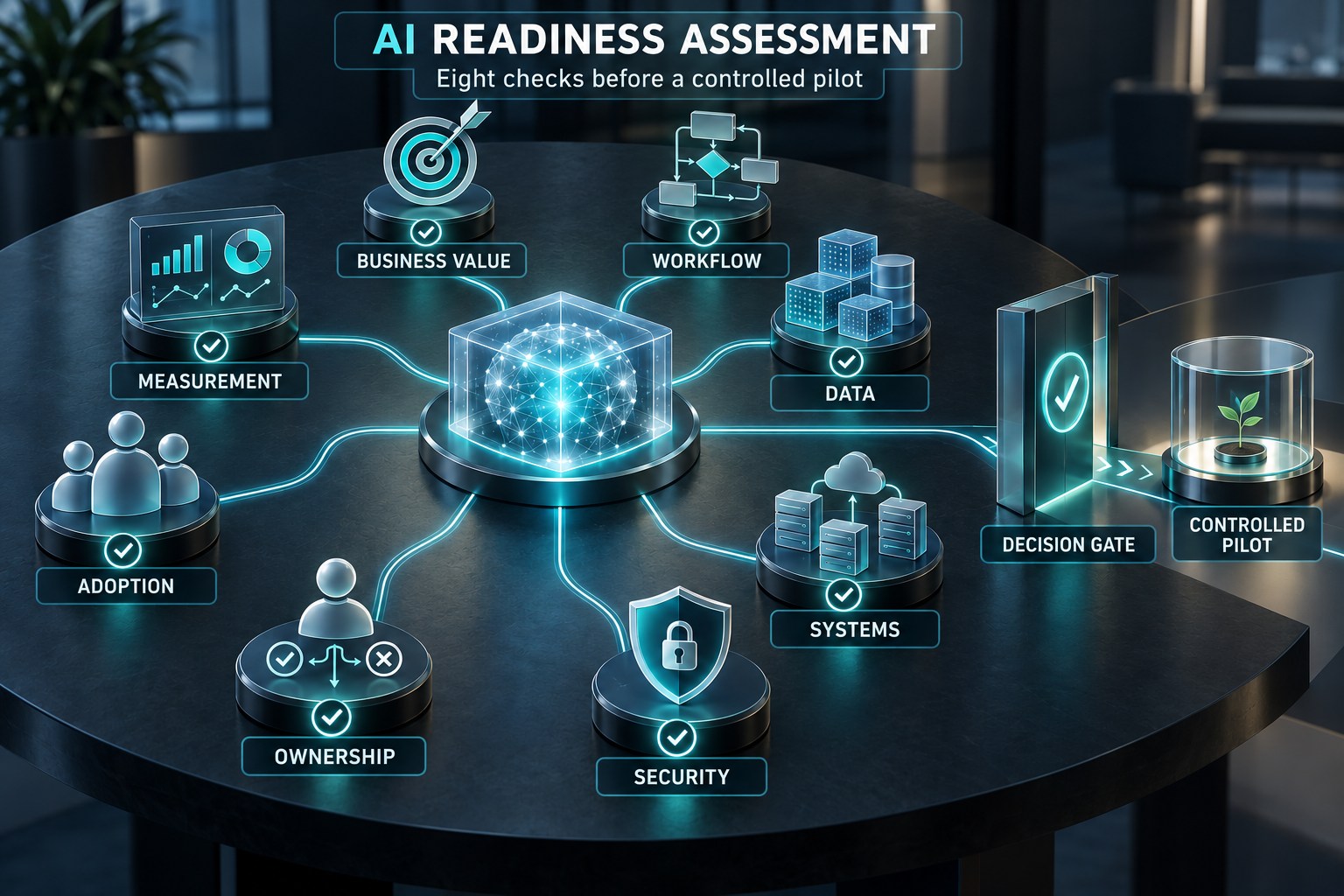
Agree the input scope, expected output, reviewer, and acceptance criteria before building. Run the proposed workflow alongside the current process using the same kinds of work. Include difficult cases and deliberately missing information. Keep a record of corrections and failures so the decision to expand is based on evidence.
Measure the whole workflow
Track correct source references, unanswered questions routed to HR, time spent checking answers, and employee task completion. For recruitment support, also test extraction accuracy across CV formats, languages, career breaks, and non-standard career paths. Speed alone does not establish that a recruitment workflow is appropriate.
Count the effort spent preparing inputs, reviewing results, correcting mistakes, and handling exceptions. Include ongoing platform usage, integration maintenance, and the people responsible for the service. A first draft produced quickly can still create more work if checking it is difficult.
Common mistakes to avoid
A fluent answer can conceal an outdated policy or a guessed entitlement. A CV summary can omit relevant evidence. Keep originals visible, show uncertainty, and provide an easy route to a person. Do not use inferred personality, appearance, or personal characteristics as a shortcut for assessing a candidate.
Use the existing system for exact calculations and stable approval rules. Use AI where interpreting language, reading variable documents, retrieving permitted knowledge, or drafting an explanation adds value. An AI response and a completed system action are different events; show the user which one has actually happened.
Prepare for a department assessment
- Name the process owner, users, and reviewer.
- Describe one repeated task and its current volume and handling time.
- Gather authorised examples of normal work, exceptions, and correct outputs.
- Identify the source systems, access restrictions, and approved integration methods.
- Agree the actions that require confirmation and the fallback when information is missing.
- Define the evidence needed to continue, change direction, or stop.
Explore an AI opportunity and readiness assessment or discuss your HR workflow with TechnoSignage.
Continue exploring practical AI
Explore more AI implementation guides for UAE business teams.
Implementation references
For a platform example, Microsoft documents knowledge sources in Copilot Studio. Source ownership and user permissions remain part of the implementation design.
The NIST AI Risk Management Framework provides a voluntary reference for assessing trustworthiness and managing AI risks. The scenarios above are editorial proposals, not a prescribed platform architecture.